How to Do an Extreme 30-Day Digital Declutter in 2026
- Productivity
- Exienent
- · Updated
An extreme digital declutter works best as a month-long project, not a single weekend: purge unused apps, archive old email in bulk, impose a simple folder structure, and trim your cloud storage. Done step by step, it can make your devices easier to use and may ease the low-level stress that invisible digital clutter creates.
Have you ever looked at your desktop screen and felt a sudden wave of exhaustion? Digital life can quietly turn into a chaotic mess: tens of thousands of unread emails, cloud storage constantly nagging that it is almost full, and a phone home screen that has become a graveyard of apps untouched since 2024. That is digital hoarding, and it sounds silly, but the invisible clutter can create genuine background anxiety. A 30-day digital declutter is one drastic way to deal with it.
What is digital hoarding?
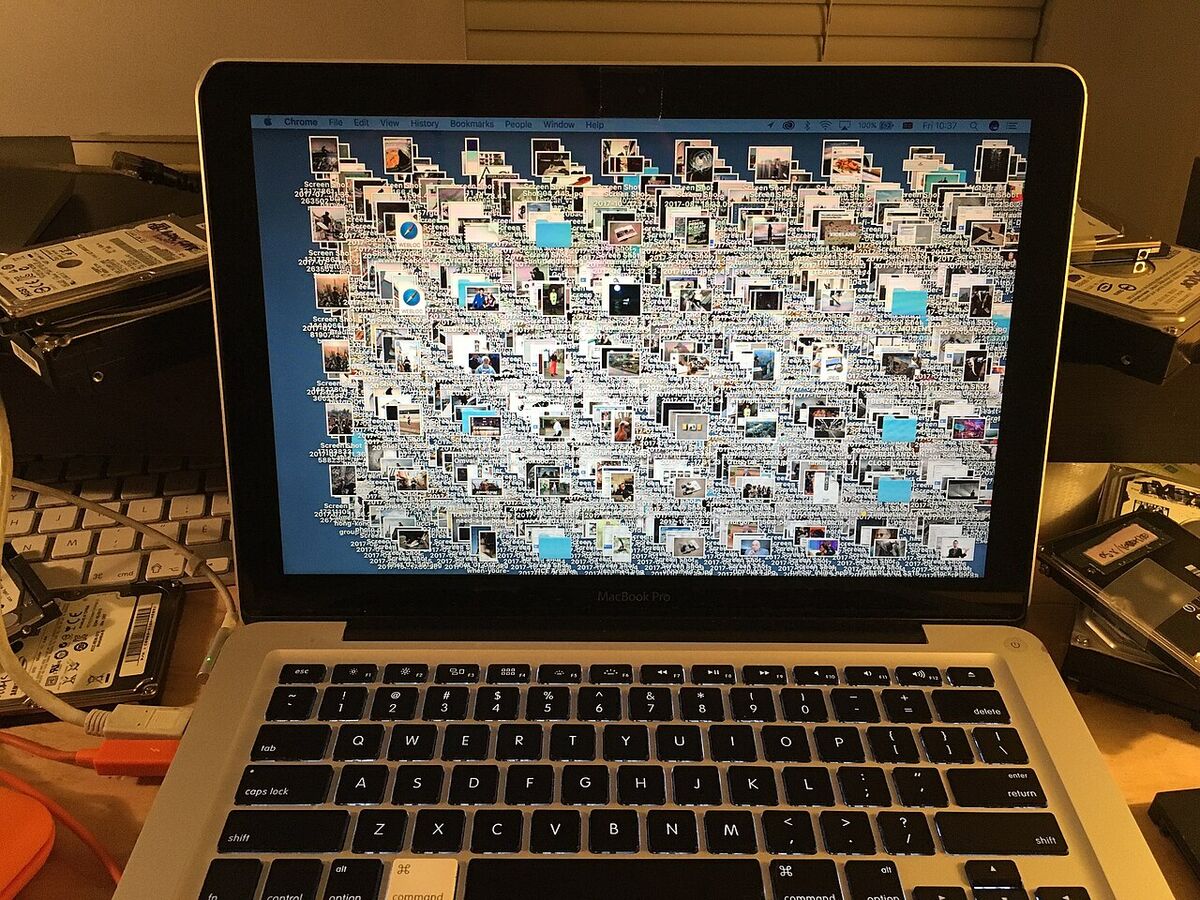
Digital hoarding is the accumulation of files, apps, emails, and photos you never use, and unlike a messy bedroom, you can't physically trip over it. But it still weighs on you. Opening a laptop to dozens of random screenshots, half-finished documents, and folders with names like "New Folder (3)" means processing visual noise before you even start working.
Without a real folder structure, finding the right file turns into a daily hunt through the search bar. That wasted time and friction can be a clear sign that things need to change.
How do you declutter your digital life step by step?
Declutter your digital life in stages spread over a month, because trying to fix everything in one weekend can lead to burnout. A practical order is phone, then email, then computer and cloud.
1. The Great App Purge
Start with your smartphone. Swipe through every page of your home screen and delete any app you haven't used in the last three months. Ignore the "might need it someday" voice: if that day comes, you can re-download the app in seconds. Then turn off all push notifications except for calls and calendar events, so your phone stops feeling like a slot machine demanding your attention.
2. Taming the Email Beast
Email can be the most intimidating part when years of messages have piled up. Instead of sorting them, try something radical: select every email older than 30 days and hit "Archive". If something was truly important, the sender can get in touch again.
Next, set aside an hour to unsubscribe from every newsletter, promotional email, and store update you don't read. Tools that help you bulk-unsubscribe are a lifesaver here. With the noise gone, the daily inbox can shrink to something you can process immediately.
3. Desktop and Cloud Clean-up
On your computer, create a very simple, rigid folder structure: 'Work', 'Personal', 'Finances', and 'Archive'. Drag every file on your desktop into one of these folders.
Then confront your cloud storage. It is easy to end up paying a premium monthly subscription just to store thousands of blurry, duplicate photos and old college essays you will never read again. Spend a weekend deleting duplicates and blurry photos, and you may be able to downgrade your cloud plan right after.
What are the mental benefits of a digital declutter?
A digital declutter may bring benefits beyond a slightly faster computer, though results vary from person to person:
- Faster Decision Making: With fewer distractions on your phone or laptop and a clear idea of where everything is, the friction of starting work can drop sharply.
- Reduced Background Anxiety: Constant "Storage Full" warnings and little red notification badges add up to stress you may not notice until they are gone.
- More Intentional Tech Use: When devices are no longer filled with random apps and endless feeds, it becomes easier to put them down once a specific task is done, and there is less left to scroll through mindlessly.
Should you try a digital declutter?
Try a digital declutter if you feel overwhelmed every time you look at a screen. Start small—clear off your desktop today or unsubscribe from 10 emails.
You don't need a perfectly organized system from day one. You just need to stop the endless accumulation of digital junk. I think the clarity of finally emptying that digital trash bin is worth the effort.