Gemini Advanced vs ChatGPT Plus: The Brutally Honest Truth
- AI & Data
- Exienent
- · Updated
Gemini Advanced is the better choice if your work lives in Google Docs, Drive, and Gmail, thanks to deep Workspace integration and a context window of up to 1 million tokens. ChatGPT Plus remains stronger for heavy coding, custom GPTs, and abstract problem-solving.
ChatGPT Plus can write boilerplate code, draft emails, and act as a sounding board for almost any project. When Google released Gemini Advanced (powered by its Gemini 1.5 Pro model), the promise of massive context windows and Google Workspace integration made it a serious alternative. Here is an honest look at what it means to work inside Google's premium AI ecosystem instead.
Where Does Gemini Advanced Beat ChatGPT?
Gemini Advanced beats ChatGPT wherever Google Docs, Drive, and Gmail are involved. For people who live in those apps, it feels like a superpower ChatGPT simply cannot match.
How Good Is the Google Workspace Integration?
The Workspace integration is the standout feature. You can type @Drive and ask the AI to "Summarize the Q2 financial PDF and compare it to the notes in the '2023 Planning' Doc," and it actually works.
- Email Drafting: Instead of copying and pasting context into ChatGPT, you can tell Gemini, "Draft a reply to Sarah's last email about the marketing budget, and pull the numbers from the spreadsheet I worked on yesterday."
- No More Uploading: The friction of finding files, downloading them, and uploading them to an LLM disappears.
Why Does the Massive Context Window Matter?
Gemini 1.5 Pro has a context window of up to 1 million tokens (and sometimes 2 million). This isn't just a marketing gimmick; it changes how you can use AI. You can upload an entire technical manual and a large codebase at the same time, then ask Gemini to pinpoint which lines of code violate the rules in a specific chapter of the manual. A model with a smaller context window may lose track of the early chapters by the time you ask the question.
Where Does Gemini Advanced Fall Short?
Gemini Advanced still falls short on coding, guardrails, and interface polish. Despite its ecosystem strengths, there are a few areas where it feels like it's playing catch-up.
Is Gemini Advanced Good for Coding?
Gemini is good at writing complex scripts and debugging obscure React errors, but it doesn't have the uncanny intuition that GPT-4o has.
- Refactoring: Asked to refactor a component, Gemini can return code that looks correct but misses subtle state management nuances.
- Refusal to Answer: Google's safety guardrails are notoriously strict. Gemini can refuse to write even simple web-scraping scripts, citing "safety concerns," which is frustrating when you are trying to get real work done.
How Are the UI and Hallucinations?
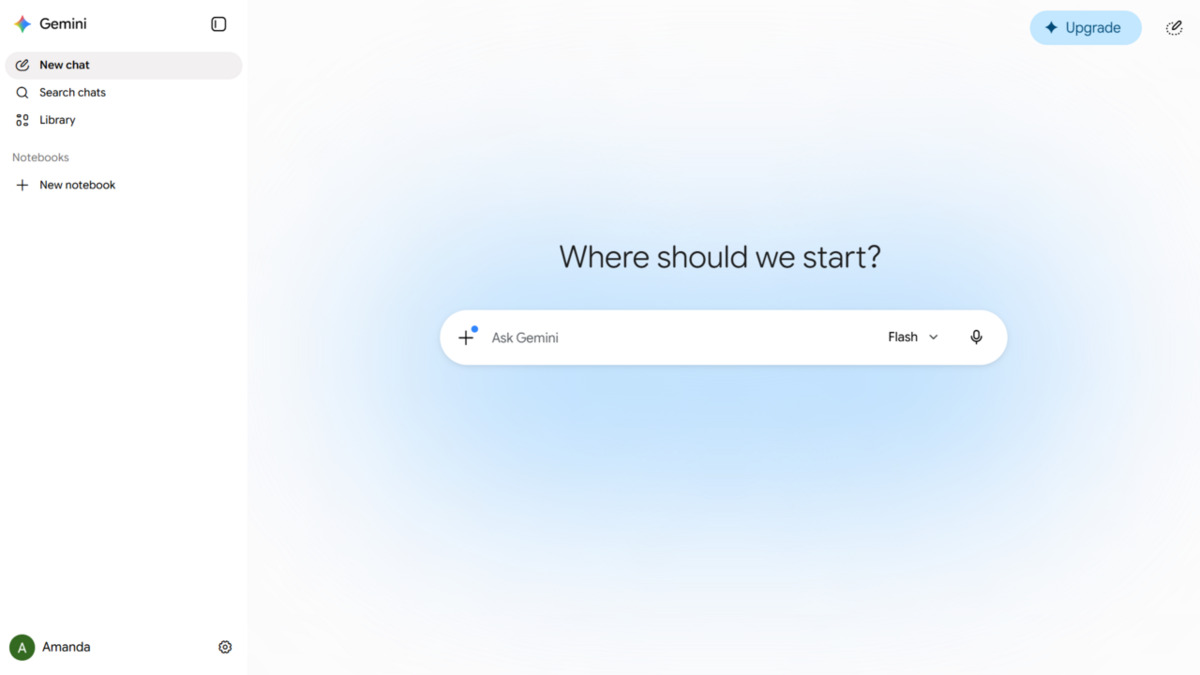
Gemini's interface is clean, but its chat history management is weak compared to ChatGPT's organized sidebar. And while hallucinations have decreased, Gemini has a bad habit of sounding too confident when it's wrong, especially when pulling real-time data from Google Search. Always click the little "G" button to double-check its claims!
Should You Switch From ChatGPT Plus to Gemini Advanced?
Whether to switch depends on where your work happens.
Stick with ChatGPT Plus if: You are a heavy coder, you rely on custom GPTs, or you want the absolute smartest model for abstract logic and complex problem-solving.
Switch to Gemini Advanced if: You spend your life in Google Docs, Sheets, and Gmail. If your daily work involves reading massive documents, summarizing endless email threads, or cross-referencing files in your Google Drive, Gemini Advanced isn't just a ChatGPT alternative—it's a massive upgrade to your workflow.
Keeping both is also a reasonable option: ChatGPT for coding and deep logic, and Gemini Advanced as the assistant for everything else.