The Harsh Reality of an eGPU Setup: Is It Worth It?
- Hardware, Technology, Review
- Exienent
- · Updated
In my view, an external GPU (eGPU) is not worth it. The setup technically works, but the Thunderbolt connection costs a large share of the graphics card's performance, hot-plugging is unreliable, and the total price comes close to building a separate desktop. The one use case where it holds up reasonably well is running local AI models.
The dream of the ultimate minimalist workstation has always been the same: a single, ultra-thin laptop you can toss in a backpack for meetings or coffee shops, then plug into a magical dock at home to instantly transform it into a powerhouse for high-end gaming, video editing, or local AI.
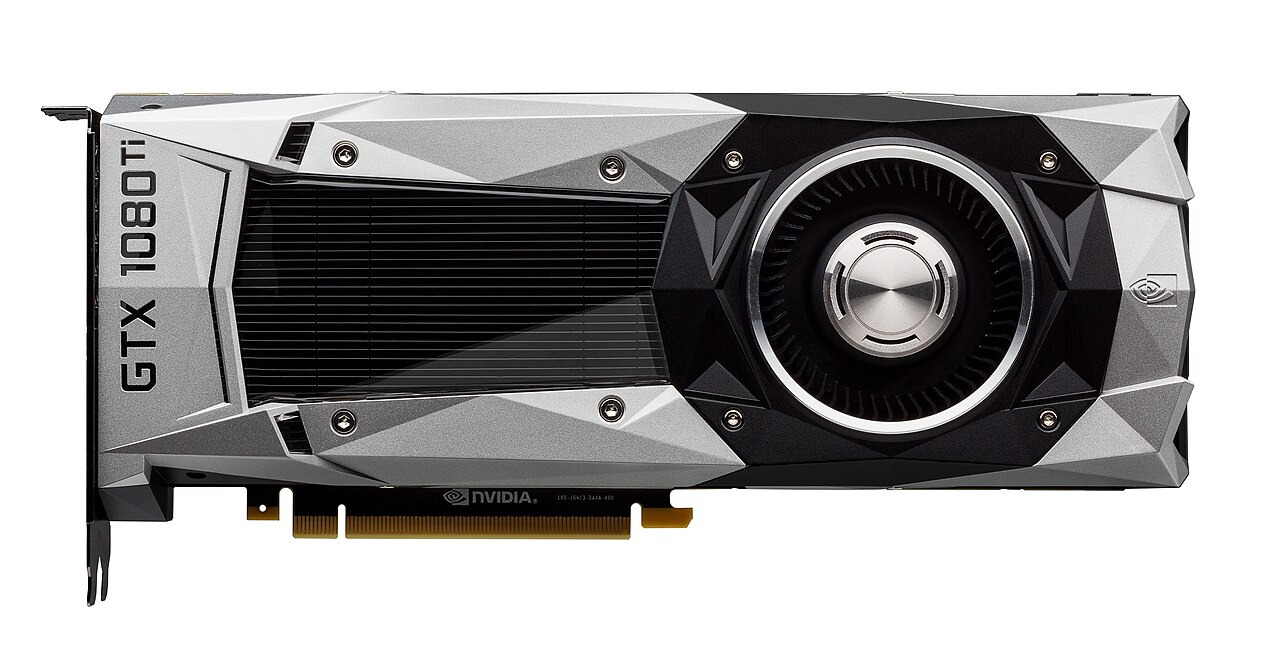
The eGPU promised exactly that. Buy a thin-and-light laptop, buy a chunky metal box for your desk, slap a desktop-class graphics card inside, and connect them with a single cable. It sounds perfect. In day-to-day use as a primary workstation, though, it tends to be a messy, frustrating, and surprisingly expensive compromise.
Why Does Thunderbolt Bottleneck an eGPU?
Because Thunderbolt carries only a fraction of the bandwidth a graphics card is built for. Desktop graphics cards are designed to plug directly into a PCIe x16 slot on a motherboard, giving them a massive, multi-lane highway to move data back and forth to the CPU.
An eGPU relies on Thunderbolt (usually Thunderbolt 3 or 4). Even at its absolute best, Thunderbolt only offers 4 lanes of PCIe bandwidth. You are essentially taking a super-highway of data and forcing it through a narrow, one-lane dirt road.
In practice, this means you lose anywhere from 15% to 30% of the graphics card's actual performance just because of the cable. A high-end card bought for face-melting frame rates and lightning-fast render times can end up performing like a much cheaper desktop card.
The bottleneck is especially brutal if you route the video signal back through the same Thunderbolt cable to your laptop's internal display. To get anywhere near acceptable performance, you must plug an external monitor directly into the graphics card inside the eGPU enclosure, which ruins the "one cable" aesthetic.
Are eGPU Drivers and Hot-Plugging Reliable?
Not very. In the marketing materials, you plug in the cable and everything lights up seamlessly. The reality of Windows (and even macOS, to some extent) handling a GPU suddenly appearing and disappearing while the system is running is far less graceful.
Plugging the laptop into the eGPU can leave the monitors refusing to wake up, forcing you to unplug, wait several seconds, and plug back in. The audio driver can crash because it cannot decide whether to use the laptop speakers or the monitor's output.
Sleep is another weak point. If the laptop goes to sleep while connected to the eGPU, it may not wake up properly, or it may hit you with a Blue Screen of Death. Manually closing every application before disconnecting the cable becomes a sensible precaution, which defeats the convenience of the "grab and go" laptop lifestyle.
Is an eGPU Good for Running Local LLMs?
Yes, and it is the one use case where an eGPU genuinely shines.
Because AI inference relies heavily on VRAM (Video RAM) capacity rather than raw data transfer speed between the CPU and GPU, the Thunderbolt bottleneck is far less crippling. An eGPU lets you offload heavy models entirely to the external card, keeping the laptop quiet and usable for other tasks.
If you are a developer who wants to experiment with local AI models but doesn't want a massive tower PC, an eGPU housing a card with 16GB or 24GB of VRAM is a somewhat reasonable proposition. But that is a very niche scenario.
Does the eGPU Cost-to-Performance Math Work?
No, and cost is the nail in the coffin for the eGPU dream. Here is the breakdown:
- The Enclosure: A decent eGPU enclosure with an integrated power supply costs anywhere from $300 to $400.
- The Graphics Card: Say you buy a solid mid-to-high tier GPU for $600.
- The Cable: An active Thunderbolt cable long enough to put the loud box under your desk is another $50.
You are spending around $1,000 just for the graphics part of your setup, and you are getting bottlenecked performance.
For that same $1,000, you could build an entirely separate, capable desktop PC (minus the GPU, which you'd buy anyway). A dedicated desktop means zero bottlenecks, zero hot-plugging driver crashes, better cooling, and you still have your lightweight laptop for travel. Cloud syncing tools like OneDrive or GitHub make keeping files synchronized across two machines trivial these days.
Verdict: Should You Buy an eGPU?
Probably not. The idea of the eGPU is appealing, but random crashes, stuttering frame rates from bandwidth limits, and the sheer noise of the enclosure on your desk add up over time.
Unless your main goal is running local LLMs, I recommend skipping the headache: put the graphics card in a dedicated desktop for home and keep your laptop for the road. The "one device to rule them all" dream is still just a dream.